Your bike can talk to Poorleton now
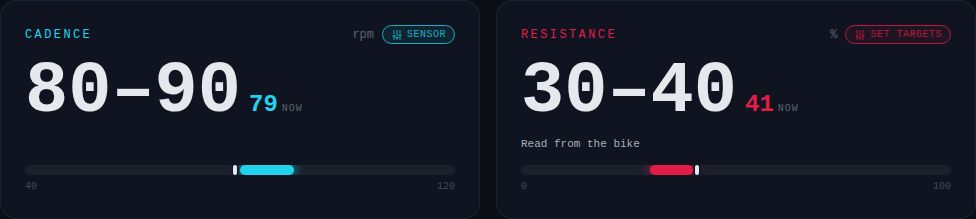
Bluetooth sensors are in. Pair a cadence sensor, power meter or smart bike and your live numbers sit next to the targets.
Until now you matched the targets by feel. That still works and you don’t need any of this. But if you have a bluetooth sensor, the gauges can show your real numbers next to what the ride is asking for.
Tap the bluetooth button on the ride screen, search, and pick your sensor. A cadence sensor puts your rpm on the cadence gauge. A power meter puts your watts up too, and most power meters count cadence as well, so one pairing usually covers both. Rides now carry a power target alongside cadence and resistance, and the same dialog lets you switch the gauge to show power instead of cadence.
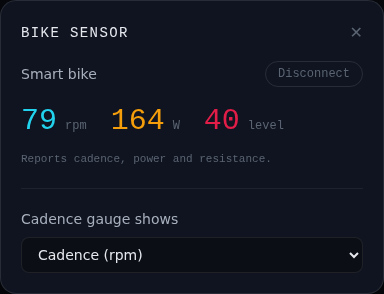
Smart bikes go one further. If your bike speaks the standard fitness machine service, it tells Poorleton what resistance it’s actually set to. The resistance gauge then shows where your knob is, in the bike’s own numbers, instead of a guess worked out from your power. Pick your bike under Set targets so the two line up.
If your bike has a built-in screen and doesn’t broadcast on its own, the FAQ covers how to get there with OpenPelo, Grupetto or QZ.
One limit you’ll hit straight away: pairing needs Chrome or Edge. Safari and Firefox don’t do web bluetooth, so on those the sensor button just isn’t there. Everything else works the same.